Search by PN, keyword


BPP-440L
4-line by 40-character
Serial LCD Module
Easy-to-use, versatile display for your instrument, controller or computer application. Connection: power, ground and serial (RS-232/
In Stock, 139.00ea. Buy Now
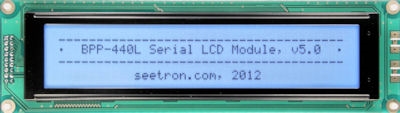
BPP-440L (190x54mm)
Links to Complete Documentation
BPP-440L Basic Specifications
| Power Requirements | 4.8 to 5.3Vdc at 7mA (60mA backlight-on max) |
|---|---|
| Serial Input (electrical) | RS-232 (±15V OK), UART, TTL |
| Serial Input (logic/data) | Inverted or noninverted, 9600bps |
| User Connector | 5-pin header, 0.025in. posts on 0.10in. centers |
| Connector Pinout | +5V Gnd Serial Gnd +5V |
| Operating Temp. | 0° to 50° C (32° to +122°F) |
| Display Type | FSTN LCD, white LED backlight |
| Character Size | 5x7 pixels, 4.89mm (0.19 in.) height |
| Overall Size (wxhxd) | 190x54x26mm (7.48x2.12x1.02in.) |
| Add'l Info Link | BPP-440 Hardware Reference |
BPP-440 Formatting Instructions
Text sent serially to BPP-440 is immediately printed to the screen. Send Hello World! and Hello World! appears on the display.
BPP-440 understands traditional control codes, such as Tab LF/CR FF/Clear Backspace etc. Additional features are mapped to other control codes or Escape sequences. A quick summary:
| Printing Position | Home, Tab, Linefeed, Carriage Return, Vtab, Set-Position (ctrl-P) |
|---|---|
| Print Using 4-line-tall Characters | Begin Big Printing (ctrl-B), End Big Printing (ctrl-C) |
| Clear Screen (all or part) | Backspace, Clear Screen, Right-align (ctrl-R) |
| LED Backlight | On (ctrl-N), Off (ctrl-O), Set Brightness (ESC #) |
| Custom Characters (8) | Load Bitmap (ESC D), Save Char Set (ESC x#) |
| Startup Screen | Save text/instructions since clear (ESC X#) |
| Utility Instructions | Reset, Flip/Unflip Screen, Lock Memory, Inline CR, Set Data Rate |
| Add'l Info Link | BPP-440 Programmer's Reference |